


How to register for an examination date using the Student Information System (SIS)
- Log in to the website https://is.cuni.cz/studium/eng/login.php
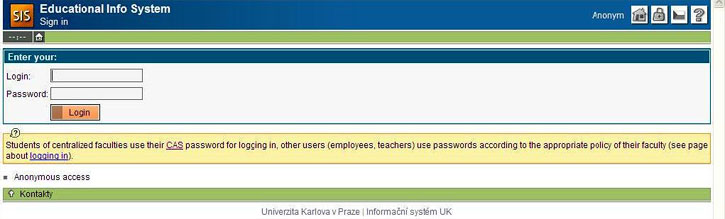
Your login is the number of your ISIC card. If you do not know or have forgotten your password, click [CAS], follow the password reset instructions, then return to the English version of the website and complete the required fields.
If you have forgot your birth code suffix, contact directly your study coordinator:
Years 1, 2 and 3: Ms. Kateřina Flodinová, @email
Years 4, 5 and 6: Ms. Stanislava Palowska, @email.
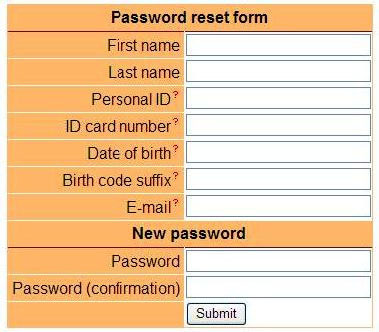
Personal ID – on your ID card below the picture
ID card number – on your ID card below bar code
Date of birth – DD.MM.YYYY
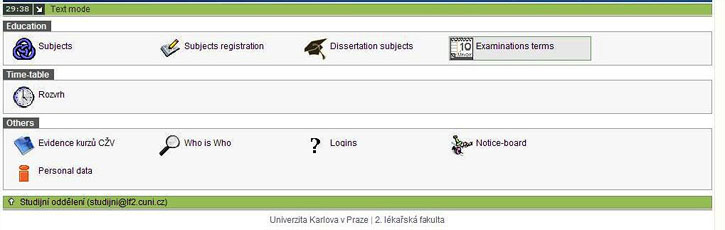
Birth code suffix – contact your study coordinator at the Study Department - On the main page click [Examination terms].
- Before registering for an examination date, you must confirm that you have completed the study survey (questionnaire) in the SIS. If you have not done so, fill in the survey now.
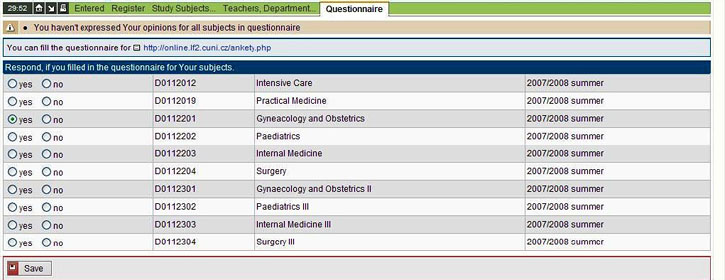
- Click [Register].
Select the course for which you wish to take an exam and click [Show Terms].
(A list of subjects is at http://www.lf2.cuni.cz/kody-predmetu-zahranicni-studenti.)
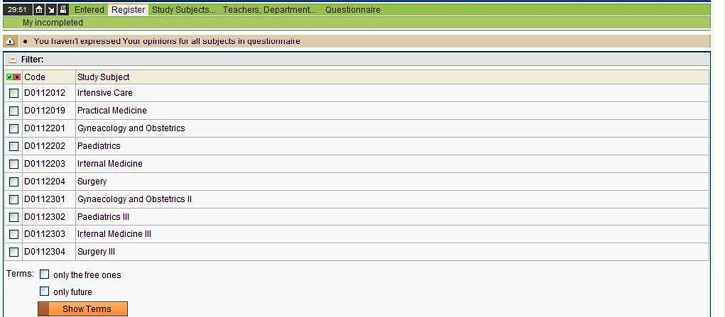
- Click [Register] next to your preferred examination date.
Free – free/total places
Date – date of exam
Hour – approximate for your orientation only
- You can cancel your registration under the [Entered] tab.

- In case of any problems, feel free to contact your study coordinator at the Study Department.


